Quick Start Guide
Isograd Learning Lab
Accessing Instructor Resources
Isograd Learning Lab provides instructors with additional resources beyond the standard coursework. Follow the steps below to access and download Instructor Guides, Syllabuses, Pacing Guides, Answer Keys for Tasks, Quizzes, and Assessments, Course Key Terms, Presentations, Study Guides, and Unplugged Activities.
Step 1:
Click Resources at the top of the navigation menu.

Step 2:
Click Instructor Resources.

Step 3:
Select the category that best matches your course (Tosa Code, Tosa Desktop, Tosa Digital, or Tosa Graphics).
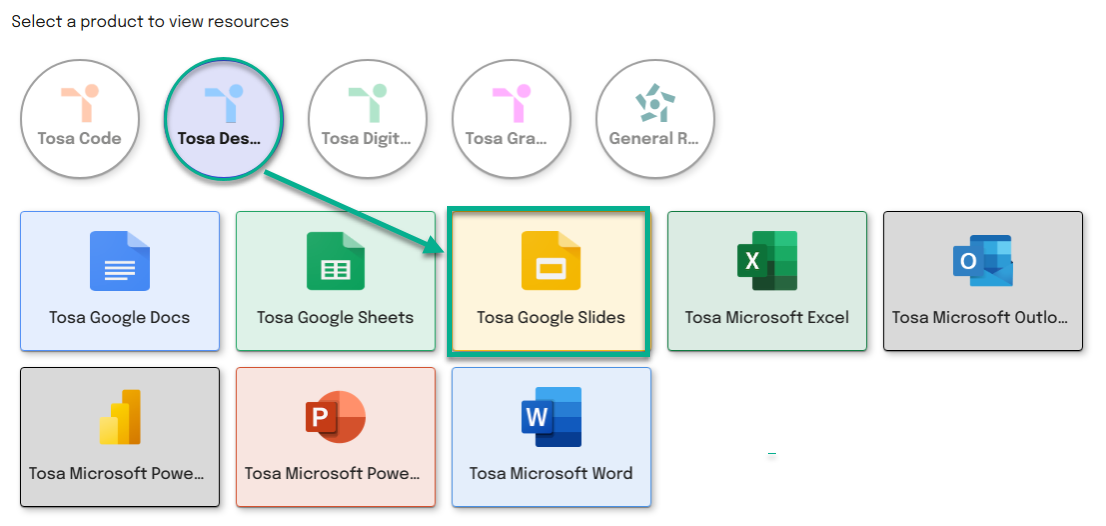
Select a product to view resources
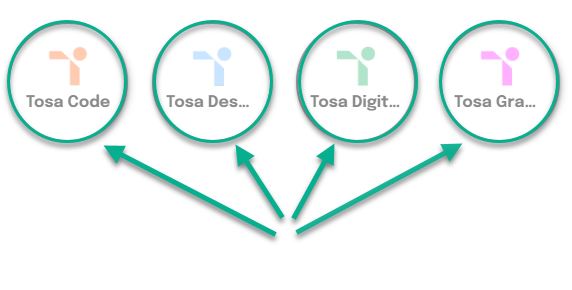
Additional options will then appear for you to refine your selection.
Click on the desired subject.
Step 4:
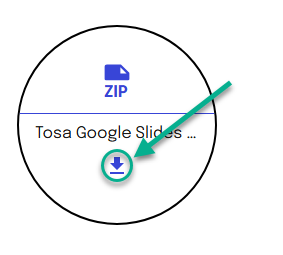
A zip file download option will appear. Click the Download icon to download it.
Step 5:
A status bar will show the progress of your download.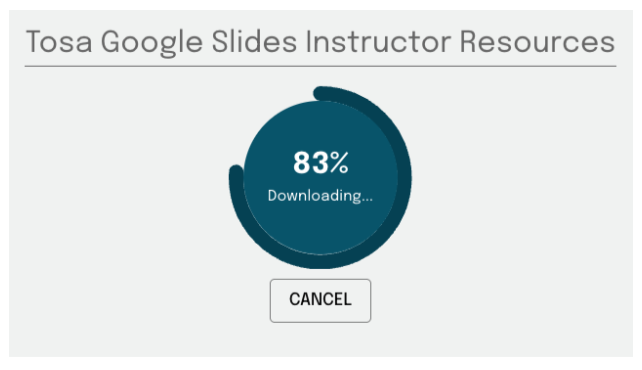
Step 6:
Locate the downloaded zipped folder on your computer. To extract its contents, press and hold (or right-click0 the folder, then select Extract All..., and follow the on-screen instructions.
You will have access to folders for all five course levels, as well as an Instructor Guide, a Syllabus, a Pacing Guide, and the Course Key Terms. Each folder includes Answer Keys for Tasks, Quizzes and Assessments, Presentations, Study Guides for each domain, and Unplugged Activities.
Use these to supplement student learning. Please be careful not to share answer keys or exercise answers with students.
Updated July 6th, 2026
Was this article helpful?
That’s Great!
Thank you for your feedback
Sorry! We couldn't be helpful
Thank you for your feedback
Feedback sent
We appreciate your effort and will try to fix the article